Landscape Design and Planting Software for CAD

Qscape helps landscape architects design planting schemes, create detailed drawings, and generate schedules and costings — all inside BricsCAD® or AutoCAD®.

qscape
qscape_logo
qscape-software-1

Why choose Qscape for your landscaping project?

Built for landscape architects who need to design, document, and deliver planting schemes efficiently.

Qscape combines drawing, planting data, and schedules into one workflow — helping you move from concept to detailed design without leaving CAD.

See Qscape in action in our Dru Allan Design Case Study.

Comprehensive Landscape Design Tool

Hard Landscape Solutions

Create hard landscape layouts including paving, boundaries, and site features.

Soft Landscape Solutions

Design planting schemes using trees, shrubs, hedges, and grass types with integrated plant data.

Automated Scheduling

Generate plant schedules, quantities, and cost estimates automatically.

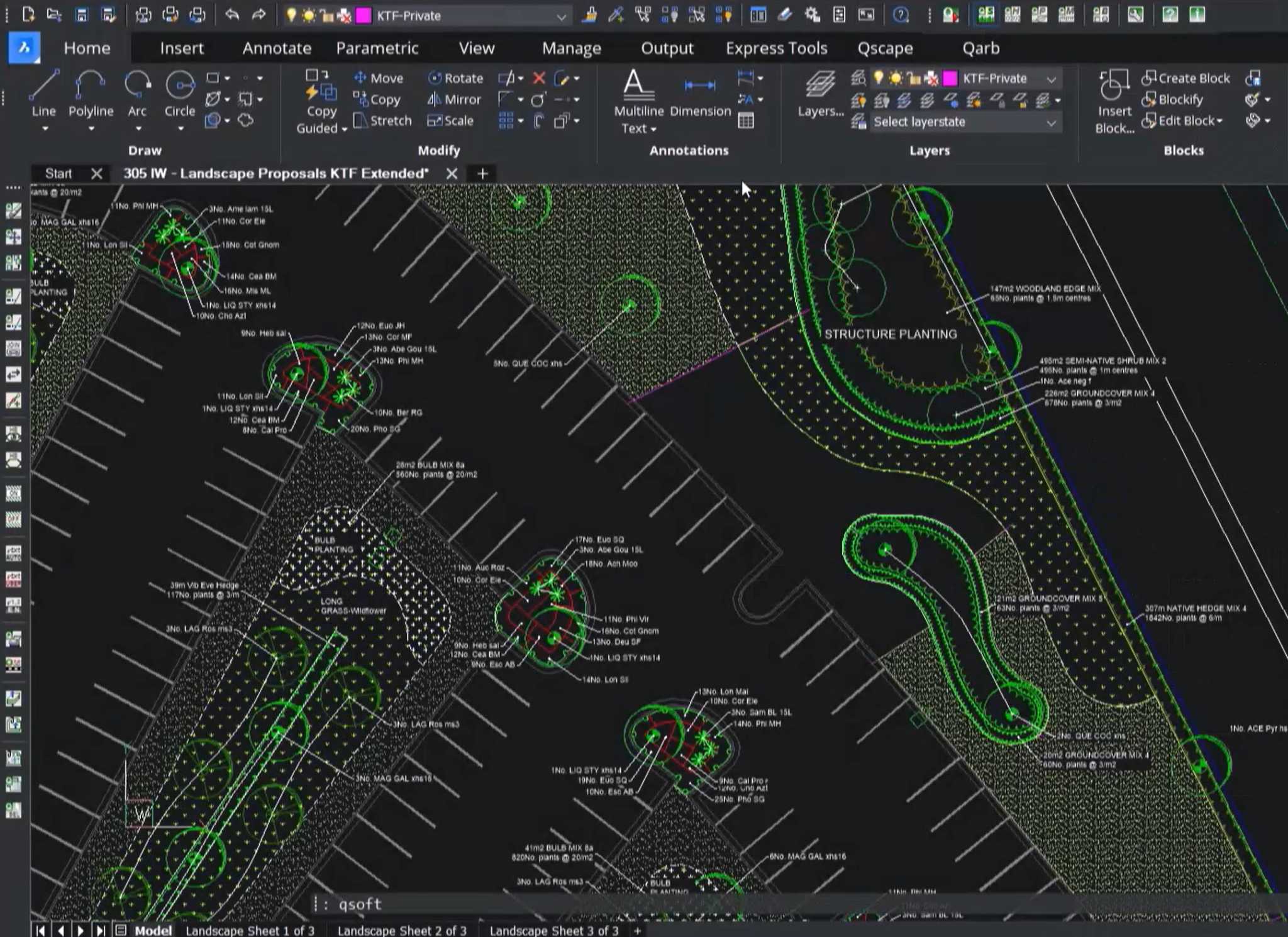
qscape-cad-interface-planting-plan-tools-200kb

Powerful Landscape Design in CAD

Qscape is an all-in-one landscape CAD tool for designing planting and hard landscape plans.

Work entirely in BricsCAD or AutoCAD to create drawings, schedules, and costings in a single workflow.

Fast, Flexible, and User-Friendly

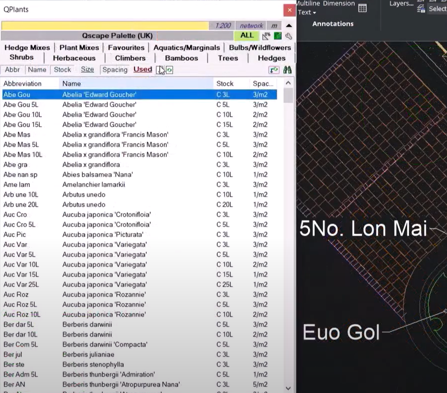
Work faster with a comprehensive plant database, customisable libraries, and tools designed for real landscape workflows.

Qscape CAD software enables fast, flexible and user-friendly landscape design with built-in planting libraries, schedules, and cost estimates

Qscape Software Benefits

Streamline landscape design, reduce manual work, and deliver accurate planting documentation.

Seamless CAD Integration

Work directly inside BricsCAD or AutoCAD with no file conversions.

Effortless Documentation

Produce planting plans, schedules, and drawings quickly and accurately.

Automated Cost Estimation

Generate quantities and cost data automatically from your design.

Training

Scalable for Any Project

Suitable for projects from small schemes to large developments.

Trusted by Professionals

Proven in practice with landscape architects, contractors, and local authorities.

Continuously Evolving

Regular updates based on industry needs and user feedback.

Qscape Software Features

Tools designed to simplify planting plans and landscape design workflows in CAD.

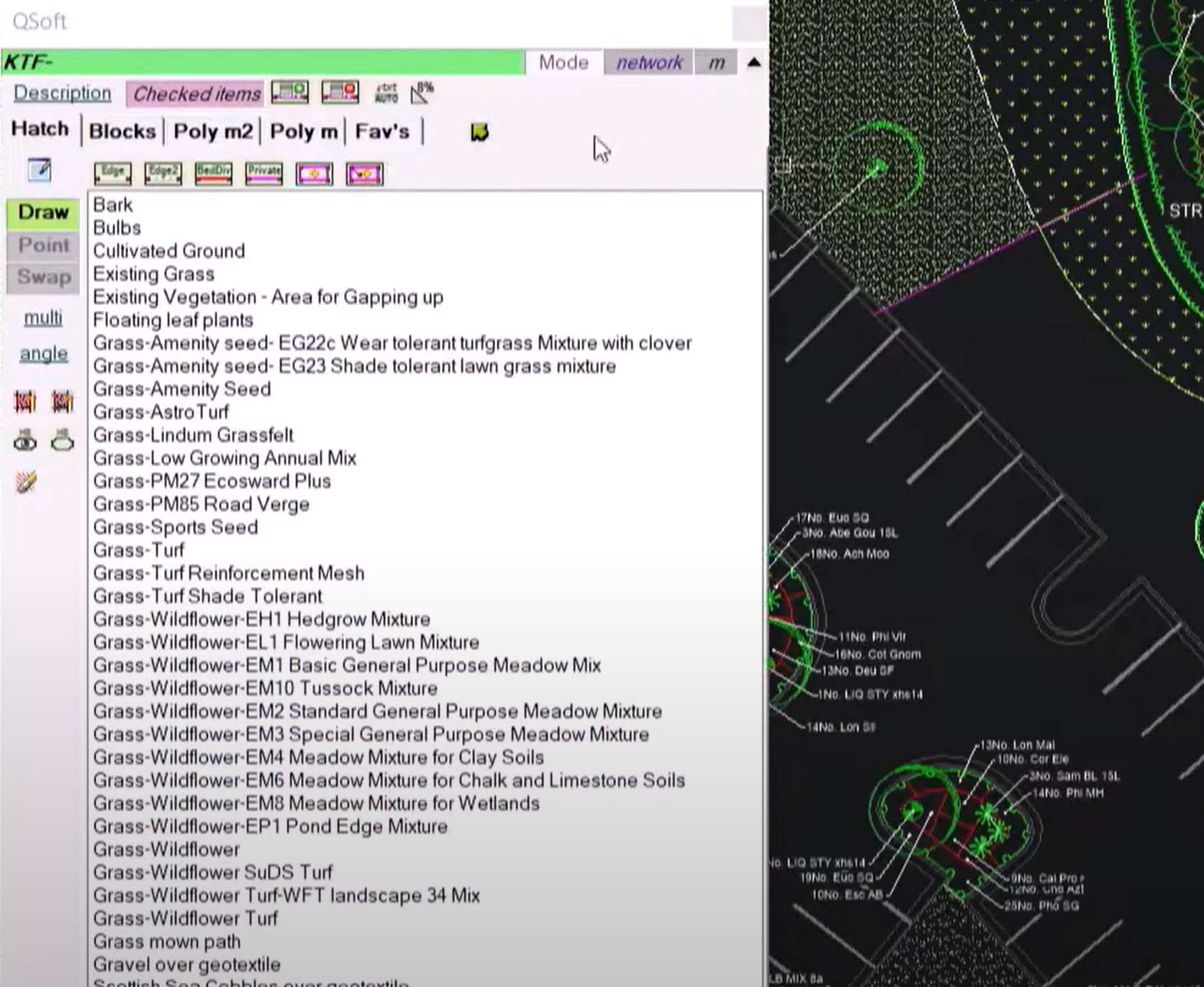
qsoft-cad-soft-landscape-design-planting-beds-turf-trees

QSoft

QHard

QPlants

QTools

QBlocks

QSettings

QMeasure

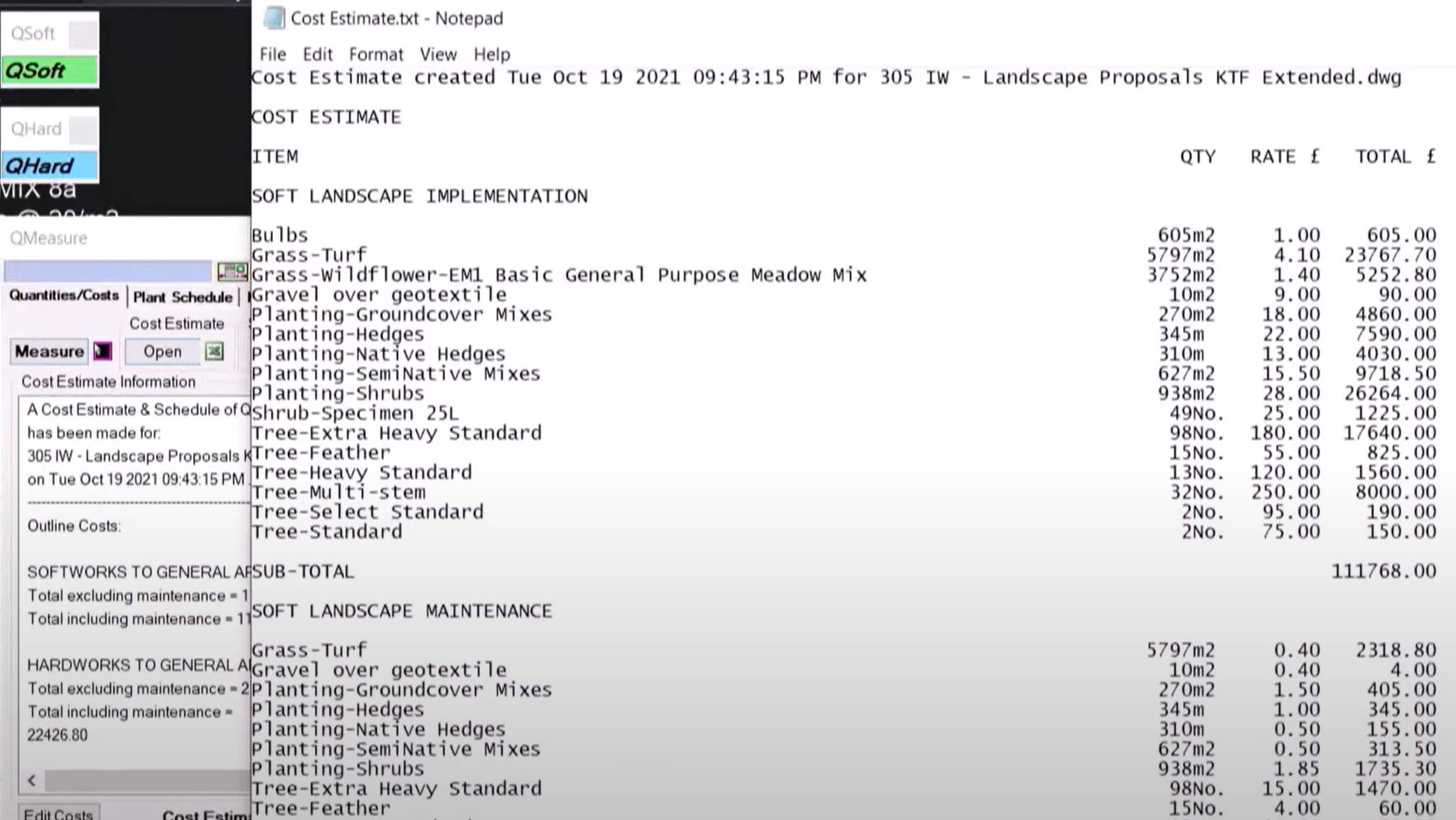
Cost estimation and quantity schedule generated using Qscape's QMeasure tool for soft landscape CAD proposals

Buy Qscape

Clear, upfront pricing with no hidden costs

See Qscape in Action
in Our Case Studies!

Sed ut unde omnis iste natus sit volur tatem accus antium laudan tium totam aperiam veritatis vitae dicta sunt explicabo.

Need help choosing the right setup? Speak to our team or explore the FAQ below.

We’re here to help! Explore our FAQ or reach out to us for more information!

FAQ

Common Questions About Qscape Landscape Design Software

Qscape is landscape design software used by landscape architects to create planting plans, softworks drawings, and schedules directly within BricsCAD or AutoCAD. It speeds up workflows and improves documentation for planning and construction.

Yes. Qscape is widely used to prepare planting proposals that support BNG submissions. While it does not perform BNG calculations, it helps organise planting data for ecological assessments.

Yes. Qscape runs inside both BricsCAD and AutoCAD, working directly in the DWG environment for easy collaboration.

Yes. You can import plant lists, customise palettes, and build tailored schedules to suit your project requirements.

Powered by DIT Innovations
Start Your Proof of Concept

We’ll review your requirements and confirm if a Proof of Concept is the right approach before getting started.

Make Sense of Your BricsCAD® Licensing

We’ll help you understand what’s active, where, and what to do next.

Book a Call